Planning
4 min read
Event Planning Templates: The Free Toolkit Every Planner Needs in 2026
Skip the blank page and start planning faster. We've built a free 2026 event planning template toolkit covering run of show, budget, vendor briefs, and post-event surveys, all in one place.

If you've searched for an event planning template, you already know the problem. You're staring at a blank spreadsheet the night before a site visit, or scrambling to brief a new vendor with nothing but bullet points in a notes app.
The thing about templates is they don't just save time. They create consistency, reduce human error, and give your clients a more professional experience from the first conversation to the final debrief.
Whether you're an independent planner juggling five clients at once or an in-house corporate team running quarterly off-sites, having a ready-to-use toolkit changes how you work.
Below, we've broken down the four documents every planner needs, what to include in each, and how Mingloft helps you stop managing them in silos.
Let's go.
The 4 Templates Every Event Planner Needs in 2026
1. Run of Show Template
The run of show is the single source of truth on event day. Everyone from your AV technician to your client's CEO should be able to read it and know exactly what is happening and when.
A strong run of show template includes:
Time blocks in 5 or 15 minute increments, depending on event complexity
Owner or responsible party for each segment
Location or room for each activity
Technical cues (lighting changes, slide transitions, mic handoffs)
Contingency notes for common delays
The key is specificity. "Registration opens" is not enough. "Registration opens, Sarah at main desk, backup badges in room 102, doors locked until 8:45 AM" is a run-of-show entry.
2. Event Budget Template
Budget conversations are uncomfortable when numbers live in your head. A shared, structured budget template keeps clients aligned and protects your margins. Build yours around these categories:
Venue (rental, AV, catering minimums, cleanup fees)
Talent and speakers (fees, travel, accommodation)
Production (staging, lighting, signage, printing)
Marketing and promotion (ads, email, graphic design)
Staffing (coordinators, registration, security)
Contingency reserve (we recommend 10 to 15 percent of the total budget)
Always include a column for estimated cost, confirmed cost, and variance. That third column is what keeps you out of trouble at final reconciliation.
3. Vendor Brief Template
A vendor brief is what separates planners who get exactly what they asked for from planners who spend event day fixing mistakes. Send one to every vendor before contracts are signed. A solid vendor brief covers:
Event overview (date, location, format, expected attendance)
Scope of work in plain language, not just the contract clause
Load-in and load-out windows with exact addresses and parking instructions
Key contacts on your team and on the client side
Deadlines for deliverables, proofs, or final confirmations
Brand guidelines or tone references where relevant
A vendor who feels fully briefed becomes a partner. A vendor who feels confused becomes a liability on event day.
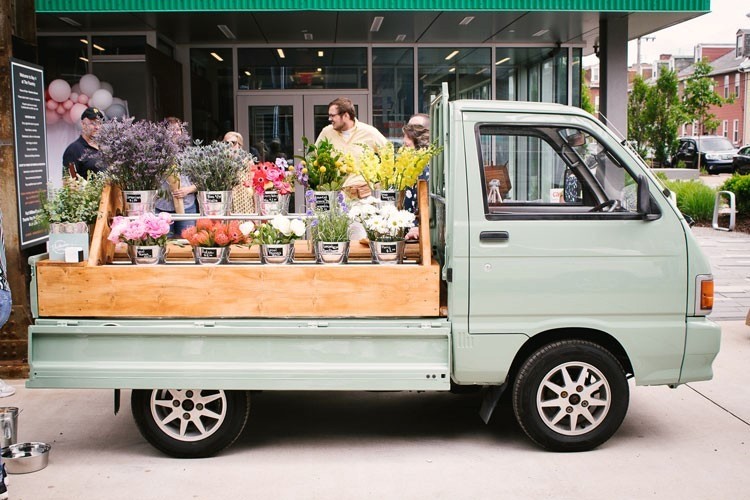
Speaking of vendors, here's how to set boundaries with them before events. No offence to our lovely vendors in the Mingloft community!
4. Post-Event Survey Template
Most planners collect feedback. Fewer actually use it to improve their next event or win their next client.
A post-event survey template should be short enough that attendees complete it (aim for under 3 minutes) and specific enough that the data is useful. Include:
Overall satisfaction score (1 to 5 or Net Promoter Score format)
Specific ratings for venue, content, networking opportunities, and logistics
One open-ended question: "What was the most valuable part of today?"
One improvement question: "What would have made this event better for you?"
An optional field for attendees to flag interest in future events
Send the survey within two hours of the event closing. Response rates drop sharply after 24 hours.
If you are a hands-on kind of person, we have a bonus for you: build your own tracking plan and know what to track for your events.
The Real Problem with Template-Only Workflows
Templates are a great starting point, but they come with a hidden cost. When your run of show lives in Google Docs, your budget in Excel, your vendor briefs in email threads, and your survey in a third-party form tool, you are spending real coordination time stitching those pieces together.
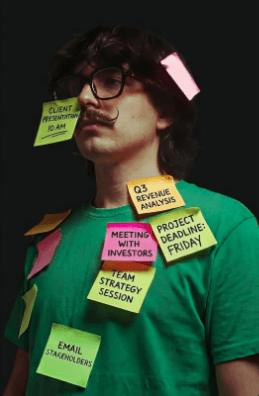
And when something changes, which it always does, you're updating four documents in four places.
That's exactly why we built Mingloft the way we did. Our platform brings event logistics, ticketing, attendee communication, and reporting together in one place, so the data you enter once flows through every part of your event workflow.
You're not replacing your templates. You're giving them a home where they actually talk to each other.
How to Get Started Without Overthinking It
The best template is the one you will actually use. Start with the run of show, since it has the most immediate impact on event-day execution. Then build your budget template from a real past event so the line items reflect your actual costs, not a generic list.
Add your vendor brief template before your next contracting cycle, and schedule your post-event survey to send automatically so it doesn't get lost in the post-event chaos.
Once you have all four in place, you'll notice something: client conversations get faster, vendor relationships get smoother, and your team stops asking the same questions over and over. That's the compounding value of a structured toolkit.
Ready to see how Mingloft ties it all together? Start a free trial and bring your next event to life without the spreadsheet chaos.