Software
4 min read
Best Event Management Software for Small Business in 2026
Choosing the right event management software for small business doesn't have to be overwhelming. Here's how lean teams can compare features, avoid costly mistakes, and find a platform that actually fits the way they work.

Finding the right event management software for a small business is one of the most important decisions an independent planner or lean corporate team can make. Why? Because the wrong tool costs you time, money, and client trust, and the right one lets a team of two run an event that feels like it was produced by a team of twenty.
In 2026, the market is crowded. Platforms range from bare-bones ticketing tools to enterprise suites with price tags to match. If you are running a boutique agency, freelancing as an independent planner, or managing events for a small company without a dedicated events department, most of that software was not built for you.
This guide cuts through the noise so you can evaluate your options clearly and confidently.
What Small Business Event Planners Actually Need
Before comparing any tools, you first need to get very clear on what your workflow demands. Most small teams share the same core pain points:
Too many disconnected tools: Juggling a separate ticketing platform, a spreadsheet for registrations, a third-party payment processor, and a manual check-in process is exhausting and error-prone.
Pricing that punishes growth: Per-ticket fees and steep monthly tiers eat into margins fast when you are running multiple smaller events.
Limited support: When something breaks at 6 p.m. the night before an event, a help center article is not enough.
Complexity designed for enterprise teams: Features built for 50-person event departments add friction, not value, for a team of three.
The best software for small businesses solves these problems without asking you to compromise on professionalism or capability.
Key Features to Compare When Evaluating Event Management Software
Use this list as your baseline when you sit down to demo any platform. If a tool cannot check most of these boxes, move on to the next:
1. Ticketing and Registration
Look for customizable registration forms, multiple ticket types (paid, free, VIP, early bird), discount codes, and waitlist management. You should be able to launch a registration page in under an hour without needing a developer.
2. Payments and Payouts
Confirm the platform supports your preferred payment methods, has transparent fee structures, and pays out on a schedule that works for your cash flow. Hidden per-ticket fees can quietly strip 5 to 10 percent of your revenue.
3. Event Marketing Tools
At minimum, you need a branded event page, email communication to attendees, and social sharing options. Bonus points for built-in promotional tools like referral links or embed widgets for your own website.
4. On-Site Check-In
A mobile check-in app with QR code scanning is non-negotiable. If your check-in process relies on printed lists or manual lookup, you are creating unnecessary stress for your team and a poor first impression for attendees.
5. Reporting and Analytics
You need to know what sold, when it sold, and who bought it. Look for real-time sales dashboards, attendee export options, and post-event reports you can share with clients or stakeholders.
6. Multi-Event Management
If you run more than one event at a time, your platform should give you a single dashboard to manage them all. Switching between accounts or platforms for each event is a workflow killer.
A Practical Buying Checklist for Small Teams
Before you sign up or hand over a credit card, run through these questions:
Can I set up a complete event, from registration page to payment collection, without external help?
What are the total fees per ticket sold, including payment processing?
Is there a free trial or a no-contract plan I can test with a real event?
Does the platform scale as my event count and attendee numbers grow?
What does customer support look like, and can I reach a real person quickly?
Can I white-label or brand the experience so it reflects my business, not the software company?
Does it integrate with the tools I already use, like my CRM, email platform, or accounting software?
Why We Built Mingloft for Teams Like Yours
Mingloft was built because we were tired of watching talented independent planners and small corporate teams waste hours stitching together tools that were never designed to work together. Every feature we have built answers a real question from a real planner.
With Mingloft, you get ticketing, registration, marketing, check-in, and reporting under one roof, without the enterprise price tag or the learning curve that comes with it.
Our platform is designed for the planner who is simultaneously answering client emails, coordinating vendors, and building a registration page, all before lunch. That means a clean interface, fast setup, honest pricing, and support from people who understand events.
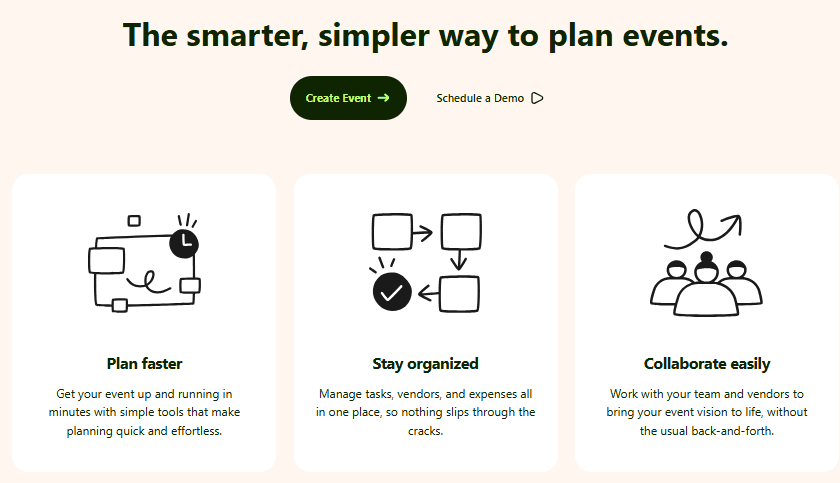
Whether you are producing a 50-person corporate workshop, a 500-person community festival, or a recurring monthly networking series, Mingloft scales with you without making you pay for features you will never use.
If you want to explore what Mingloft can help you achieve, book a call with our team.
The Bottom Line
The best event management software for small businesses is the one your team will actually use, consistently, without friction. Prioritize all-in-one functionality, transparent pricing, and tools built for lean operations rather than large enterprise departments.
If you are ready to see how Mingloft fits into your workflow, start a free trial today. No long-term contract, no surprise fees, and no learning curve that steals your weekend.